Put up your club's news with 1-click
A new ADD NEWS makes sending in your croquet story really easy.

lubs can now put their own news on HOOPLA. There is a maroon button near the top of the homepage that says Add Photos & News. Press it, write the story and send it. No sign-in, no password, nothing to set up.


The Add Photos & News button near the top of the homepage
Go to news.croquetqld.org and press the Add Photos & News button near the top of the page.
Type a headline.
Press Add photos and video to add your photos. The first photo becomes the story's cover.
Write your story. The Image button adds a photo, and on a computer you can also drag a picture straight into the story.
Put in your name, your club and your email address.

Under the story: your name, your club and your email
Press "Send it in".

The Send it in button at the bottom of the form
A bar asks "Send this story in for a check?" Press "Yes, send it".
Your story then comes to us for a quick check before it goes on the site, the same as everything else on HOOPLA. We don't change your words.
Anything from your club. Results, a working bee, a new member's first win, a good morning tea, a photo from the lawns with a couple of lines about the day. If it happened at your club, someone else in Queensland croquet will enjoy reading about it.
If you get stuck or you'd rather email your story in, write to hello@croquetqld.org and we'll take it from there.

Get HOOPLA! in your inbox
Topics
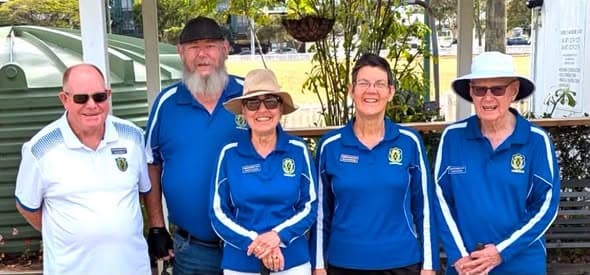
Windsor wins BNR Division 3 Pennant test against Toombul
Windsor secured a victory in the BNR Division 3 Pennant test against Toombul, with thanks to the team, supporters, and h…
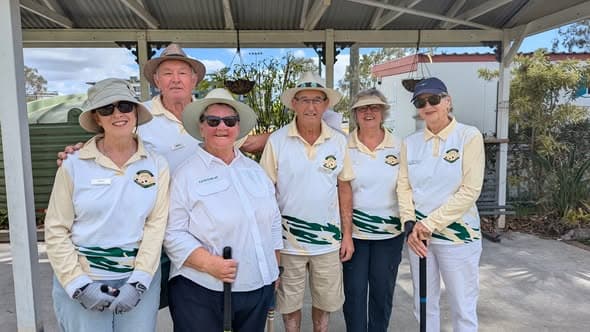
Toombul crowned 2026 Brisbane North Region Champions
Toombul secured top spot in the Division 3 Pennants with four match wins, claiming the 2026 Brisbane North Region title …